01 · During
Set by set.
Without the guesswork.
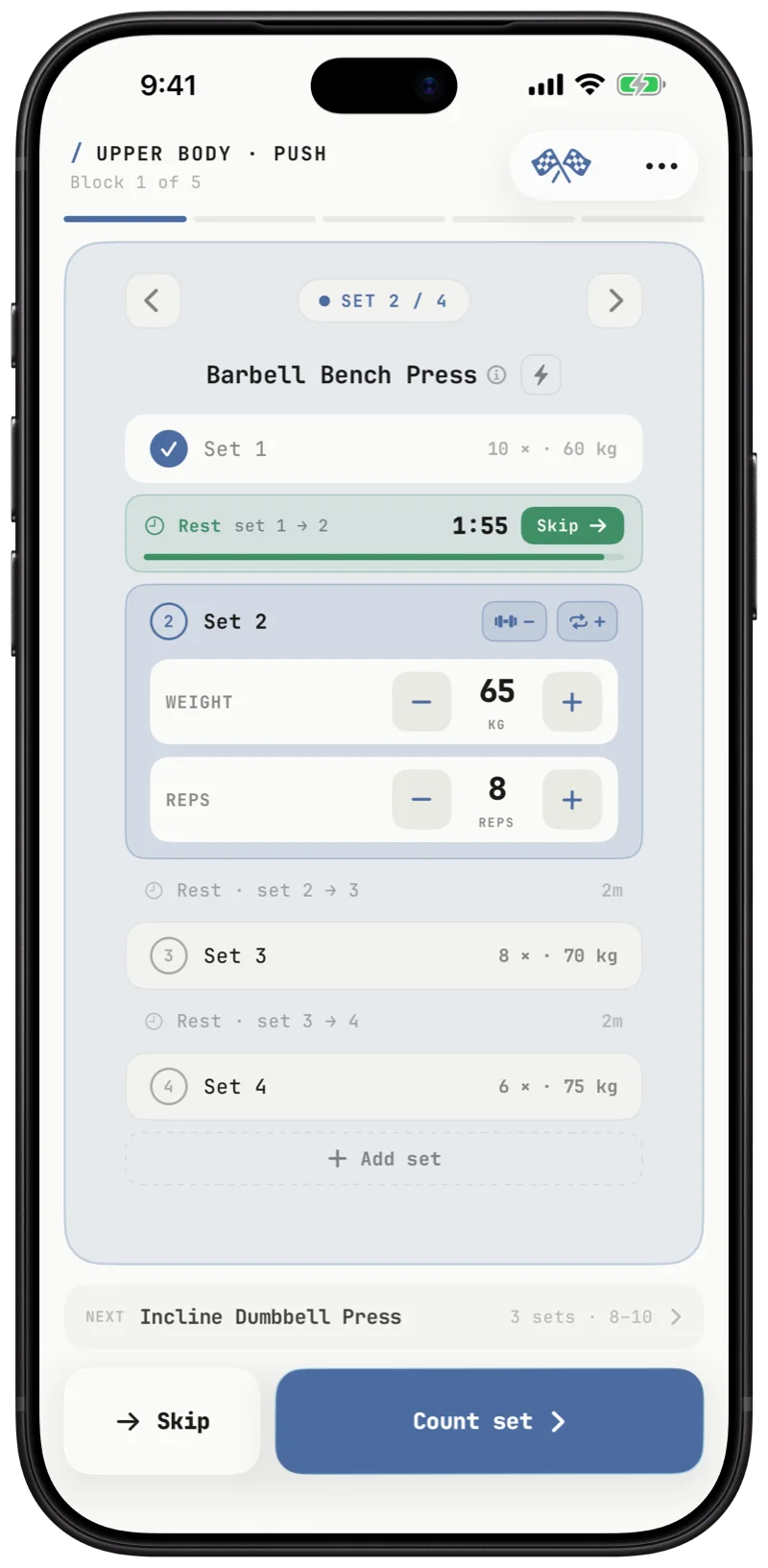
Your weight and reps, right in front of you. Log a set and the rest timer starts automatically.
/Barbell bench press2 of 4
80kg×8reps
Rest between sets00:56
 Eversetto
Strength log · iPhone + Apple Watch
Eversetto guides your strength workout set by set. Weight and reps right in front of you, and the rest timer starts by itself. With an account, your progress is on the web, and your AI assistant sees it too once you connect one.
Less tapping. More focus.
01 · During
Your weight and reps, right in front of you. Log a set and the rest timer starts automatically.
/Barbell bench press2 of 4
80kg×8reps
Rest between sets00:56
02 · After
Compare your plan with what you actually did. Track weight, volume and the history of every exercise.
Barbell bench pressworking weight, kg
Workout 0106
Ever set to · Apple Watch
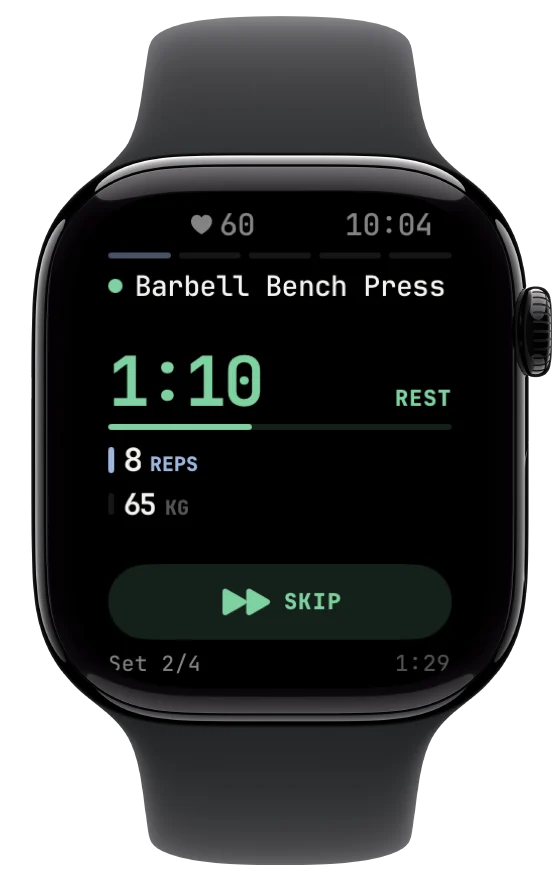
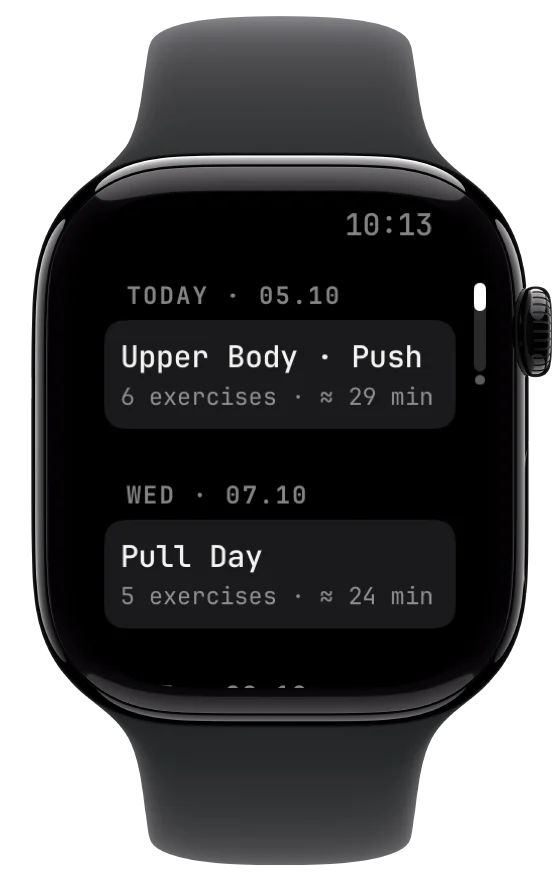
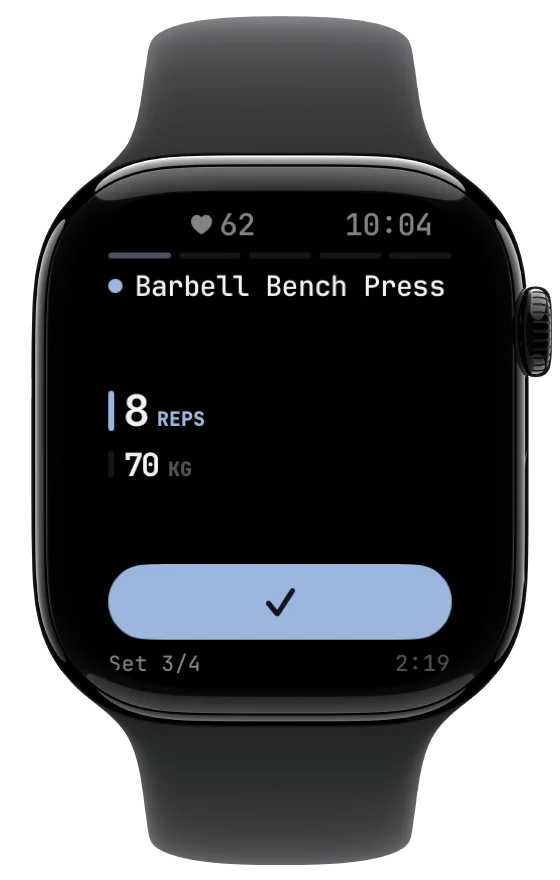
Leave your phone aside. Pick a saved workout on your watch and follow it set by set, with weight, reps and rest right on your wrist.
Your schedule and workout library come from your iPhone. Start a saved workout even when your phone is out of reach.
Log sets and adjust weight and reps with the Digital Crown. The timer and haptics let you know when your rest is over.
When your devices reconnect, your completed workout is added to your history. With Health permission, your watch records your heart rate and workout.
Account optional
Apple Health data is never sent to our server. You can delete your account and all data on the server from the app.
Claude × Eversettoconnected
Build me an upper body program, three times a week, and schedule it from Monday.
I created the “Upper Body A” template and scheduled it for Monday, Wednesday and Friday. It’s already in the app.
From plan to first set
The address and steps are on eversetto.com, under Connections. You choose what it may do on the Eversetto page.
Share your goals, experience and equipment. Your assistant creates workouts and schedules them.
The program shows up in the app. Eversetto guides you from your first set to your summary.
No account? The instructions for your AI assistant are already in the app, and you can import its program as a JSON file.
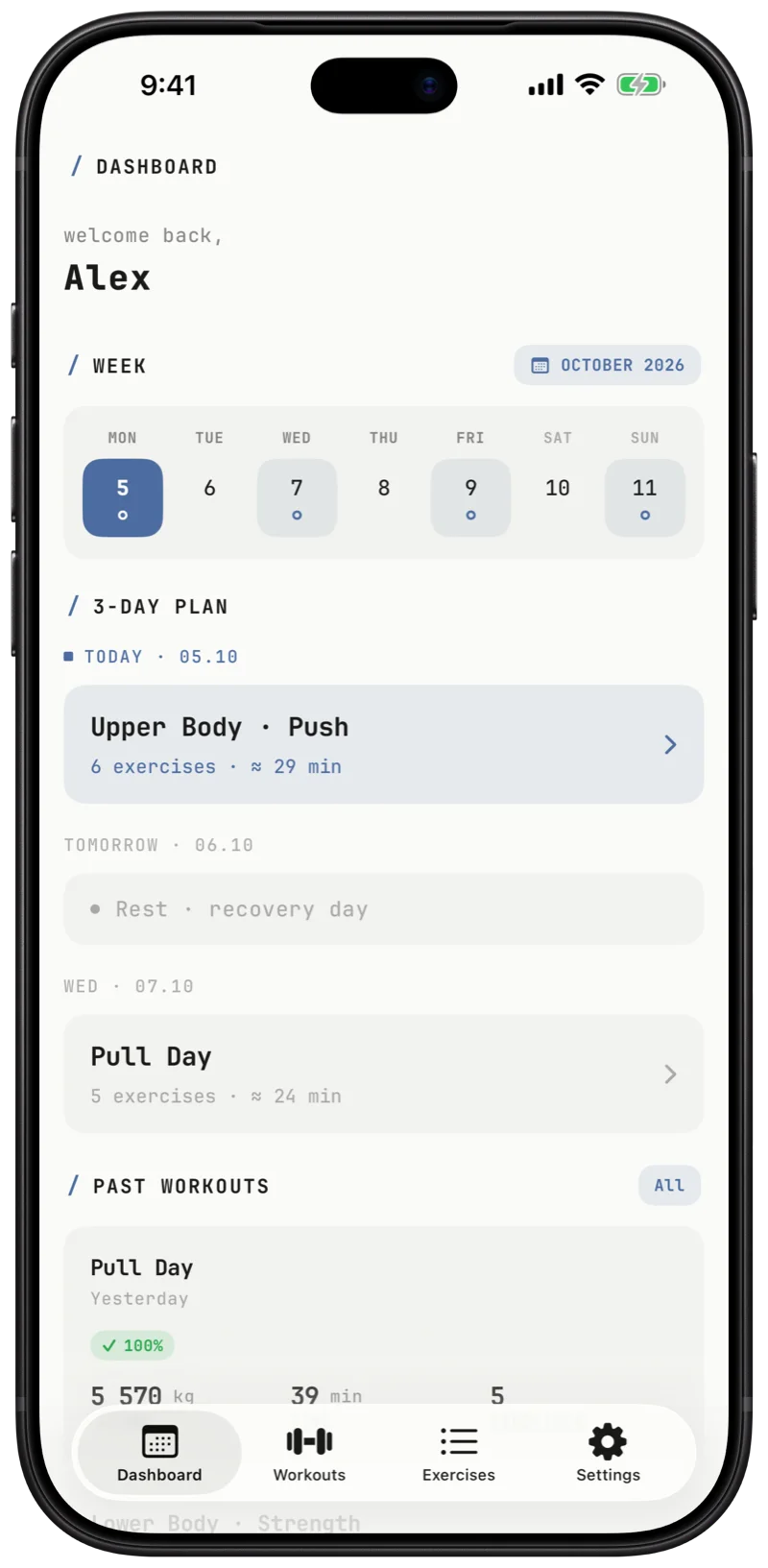
Schedule workouts, move them to another day and add notes, all in one place.
Your exercise and rest timer on the Lock Screen. No need to keep opening the app.
Account optional. Workout copies in iCloud Drive or Google Drive.
FAQ
Yes. First, send your program from your iPhone to your watch. You can then start and follow a saved workout on Apple Watch without your phone nearby. When they reconnect, your results are added to your iPhone history.
No. Without an account, your workouts stay on your device and nothing is sent to our server. An account adds sync between your devices, your workouts on the web and connecting an AI assistant. You sign in with a code sent to your email.
No. You can create exercises and workouts in the app. AI is a faster way to build a program: connect an assistant to your account, or import its program as a JSON file, which works without an account too.
You connect an assistant yourself, with the address and steps from the website, and choose what it may do on the Eversetto consent page. Within those permissions it works with your workouts and can change them, for example create a template or move a workout. Assistant actions are logged, and you can disconnect an assistant any time under Connections. Claude connects on claude.ai or in the Claude app for Mac and Windows; ChatGPT needs developer mode, which isn’t available on every plan.
In the app: deleting your account deletes all your data on our server, and from backups within 32 days. Apple Health data is never sent to our server. Details are in the privacy policy.
Yes. Eversetto supports circuits and blocks, timed and rep-based exercises, with or without weights.
Yes. Choose kilograms or pounds in settings. Add your own plates and bar weight so weight increments match the equipment in your gym.
Ever set to
Another app from the same maker
Meetings, right on time: a menu bar countdown, clear reminders and one-click access to your next call.
Explore Time to Meet!